
Update one AGC9.2@四时山河The big shot's 21-in-1 is brand newConfiguration。 This configuration makes it easier to get better photos, and the image quality keeps getting better.
Mei tribeBasically all series are usable, except for the 20, which cannot be without a wide-angle lens.
Configuration Description
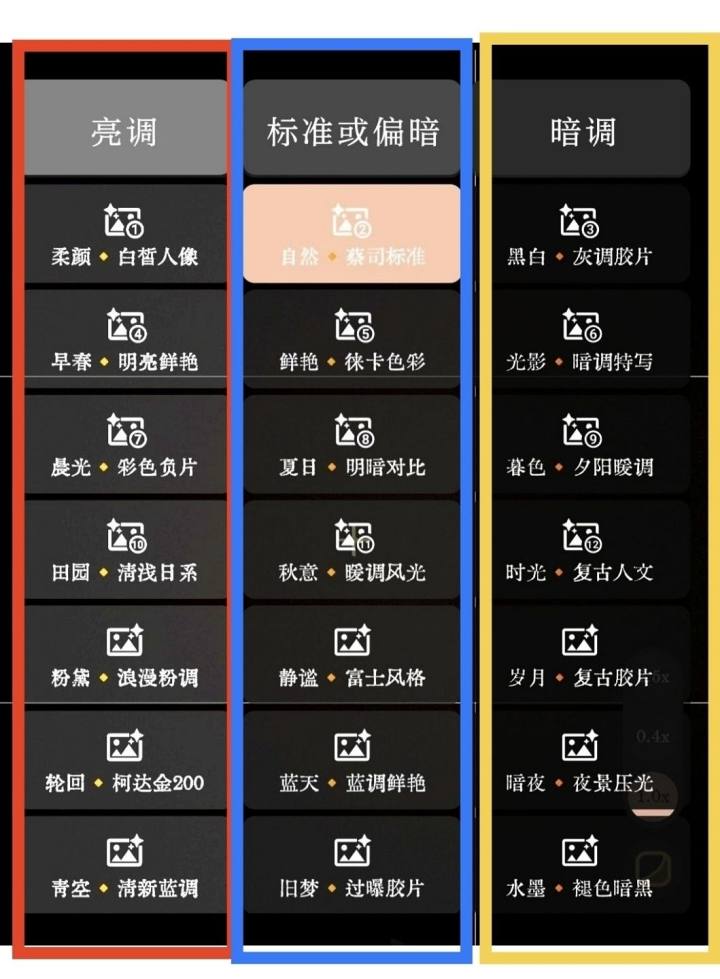
❤️ Red box inside - image is relatively bright
Inside the blue box - image standard light
?Yellow box - image tends to be darker (dark)
Installation method
Step one: Download the installation package. After downloading, just install it directly.
Besides the Meizu 20 Wujie and 21 Pro models,
Other models use the "Meizu" installation package.
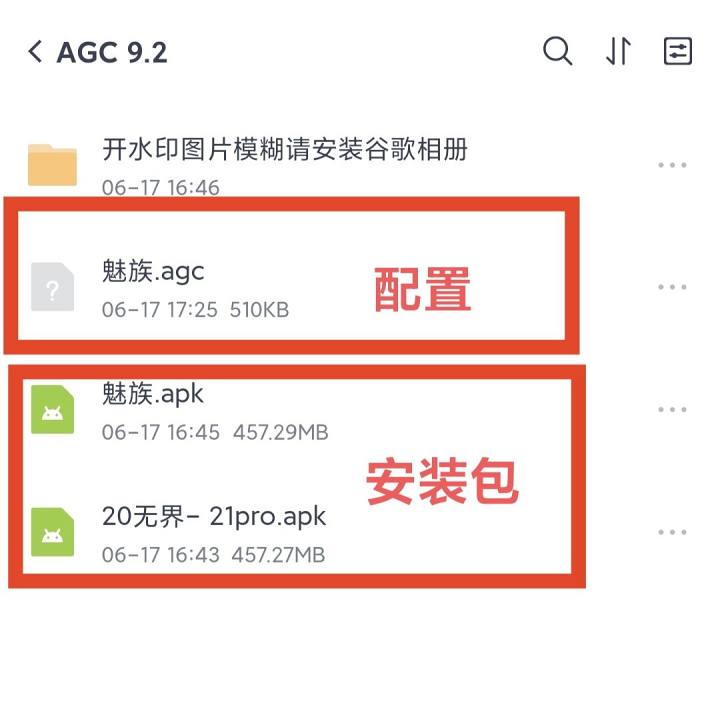
Step 2: Download the configuration
After downloading the configuration, place it in the file manager download-agc9.2-configs.
If you don't have a configs folder, you can create one yourself.
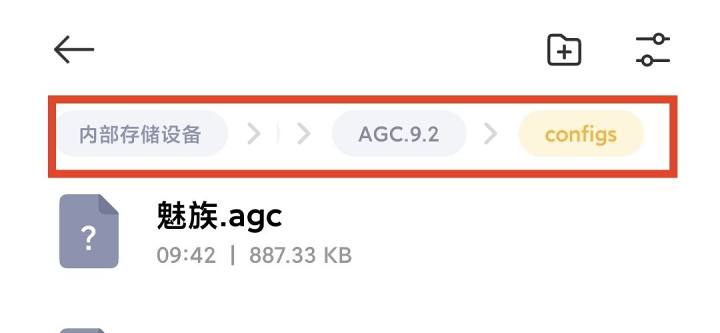
Step three
1. EnterGoogle Camera, remember to grant permission.
After entering Google Camera - Open More Settings, Open All File Access (Open
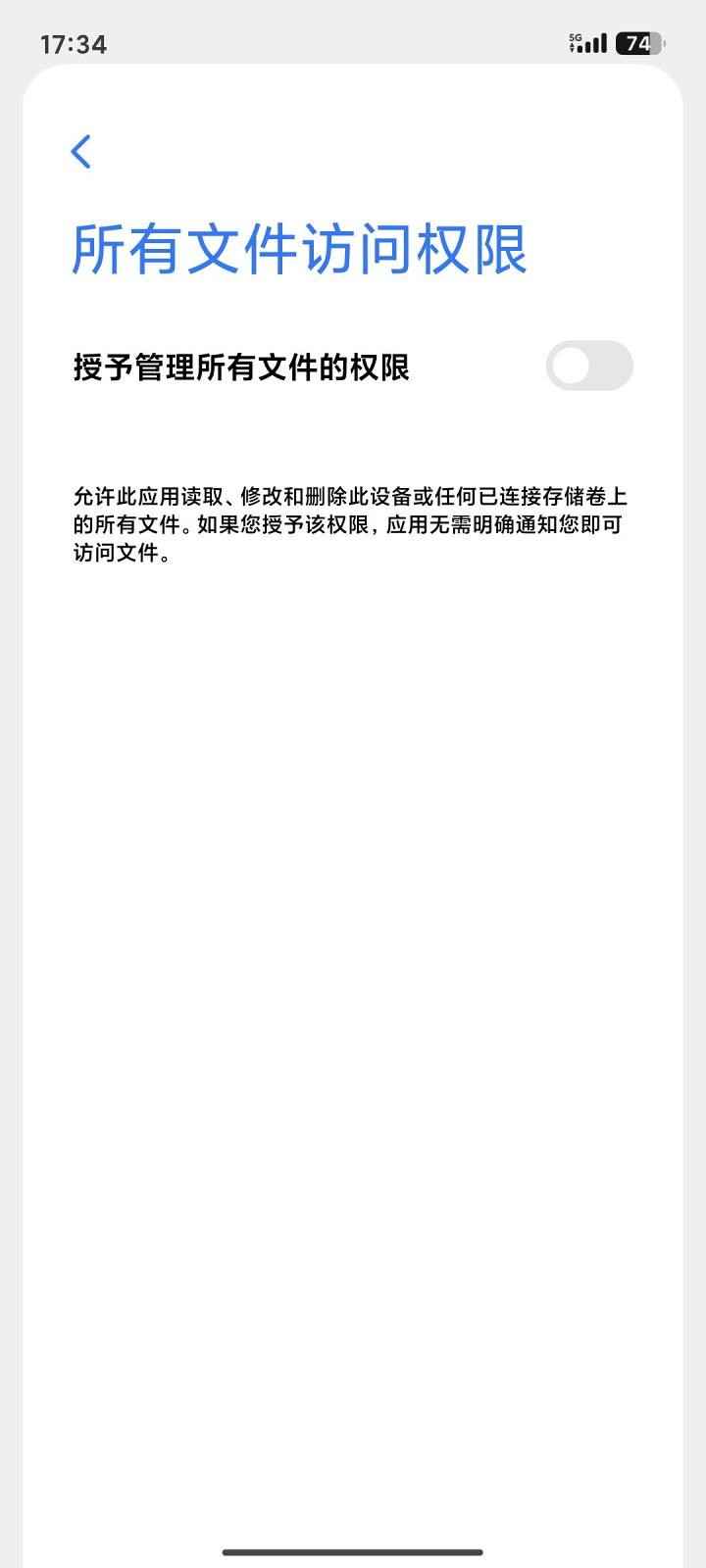
2. Click the icon in the upper right corner, then click "Load Configuration," and then click "Load Configuration" in the bottom left corner. Be sure to check the box, otherwise it won't load.
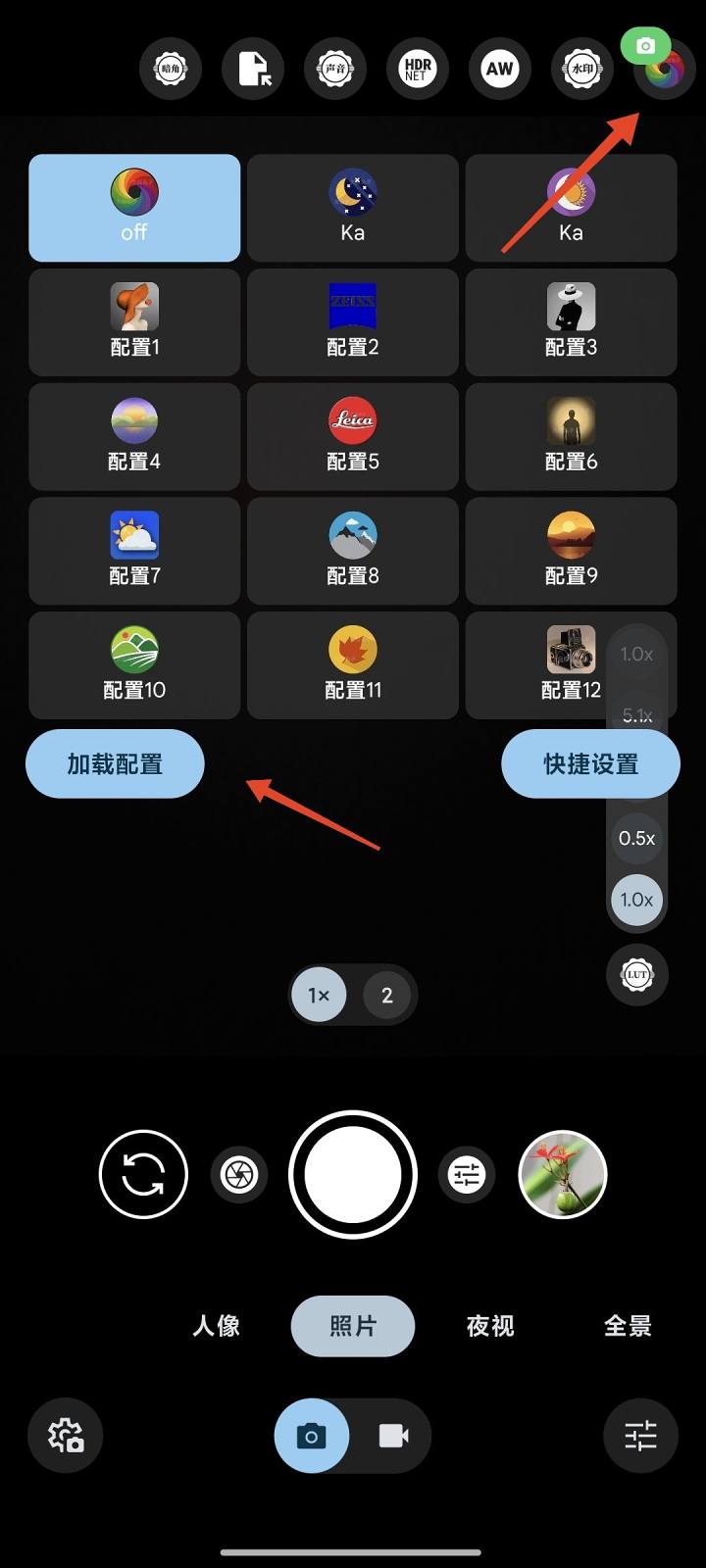
Then, when switching to 0.7x wide-angle lenses on the Meizu 20, it will crash and become unusable. Go to More Settings - Lens Settings - Select Lens, uncheck 0.7x to hide and close it.
Interface feature introduction
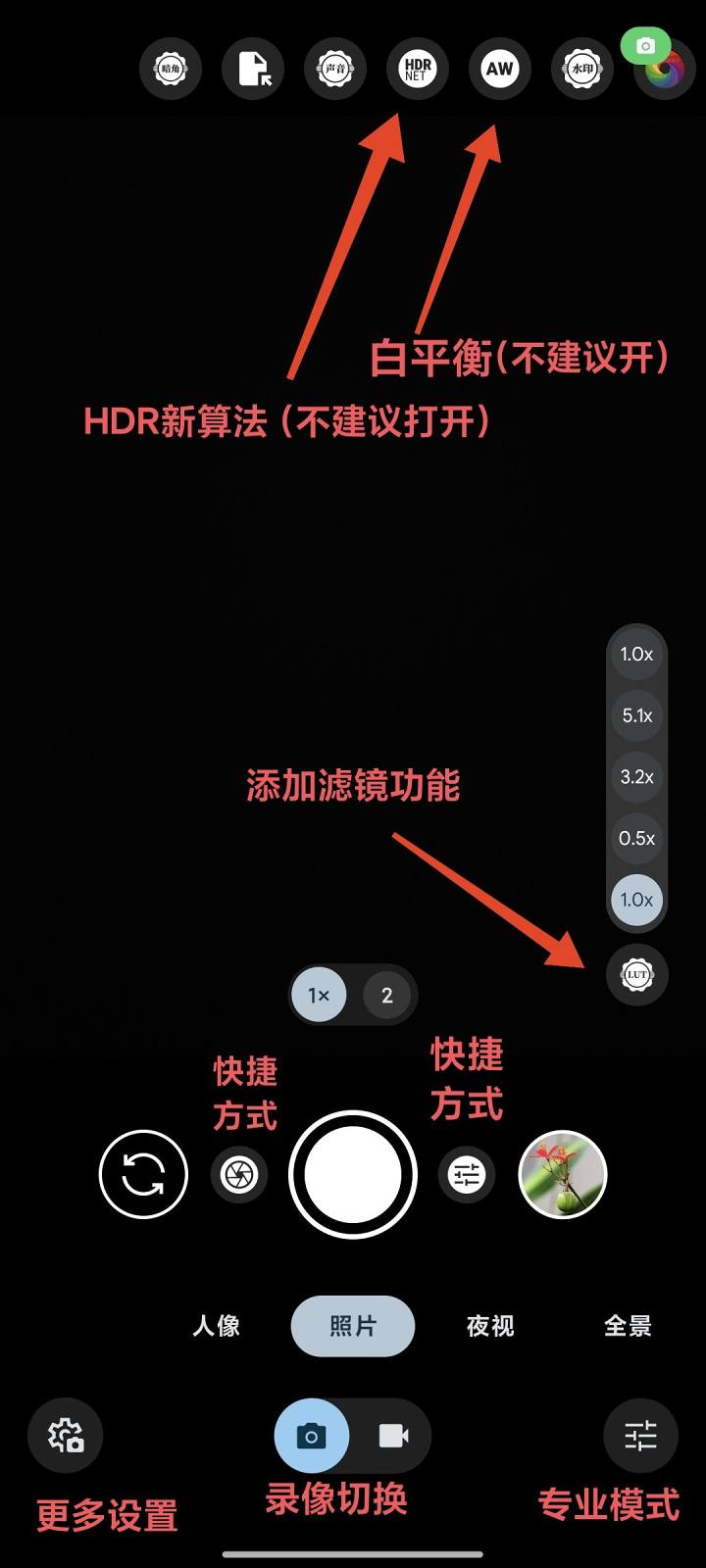
1.HDR-NET(It can affect image quality, so do not turn it on) (as shown above)
2.AWExactlyWhite balance, Generally, this is rarely used and usually not necessary unless you feel the color is off. You can try enabling it. (As shown in the picture above)
3. AdditionFiltersFeatures~ The new version only supports a few default windows; other windows require paid activation of Pro in AGC ToolKit, so there's no need for it. (As shown in the picture above)
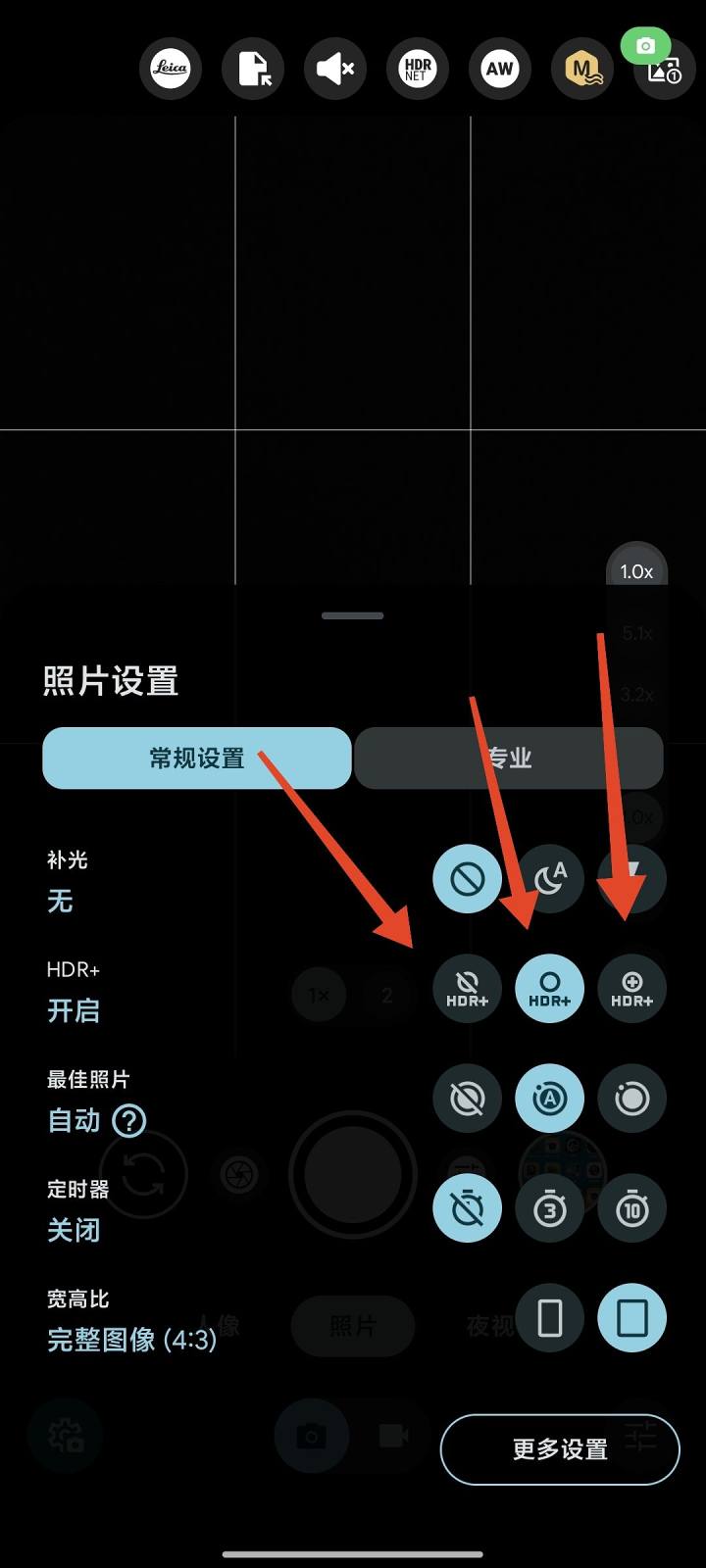
HDR application description
4. Then hereHDR enhancementMake sure to turn it on (as shown above), and turn off HDR to make it no different from the original camera, because the algorithm is provided by HDR.
(1) The middle HDR+ is suitable for quick snapshots or in well-lit scenes,
(2) The third HDR+ enhancement on the right is suitable for areas with weaker lighting or where better detail is needed. This image rotates slowly during shooting, but the quality is better.
5. After the system upgrade, when starting with watermarks, images may appear blurry but magnification becomes clear. Install one inside the connectionGoogle PhotosThat's it.
6. The image cannot rotate. Solution: Open itAccelerometer。
Long press the icon - Permission Management - Turn on the accelerometer. If not, go to System Settings - Privacy Permissions - Permission Management - Accelerometer - Google Camera and enable Allows.
7. Access more settings -Watermark settings- Watermark icons: Added three Meizu-specific watermark icons, switch between them yourself.
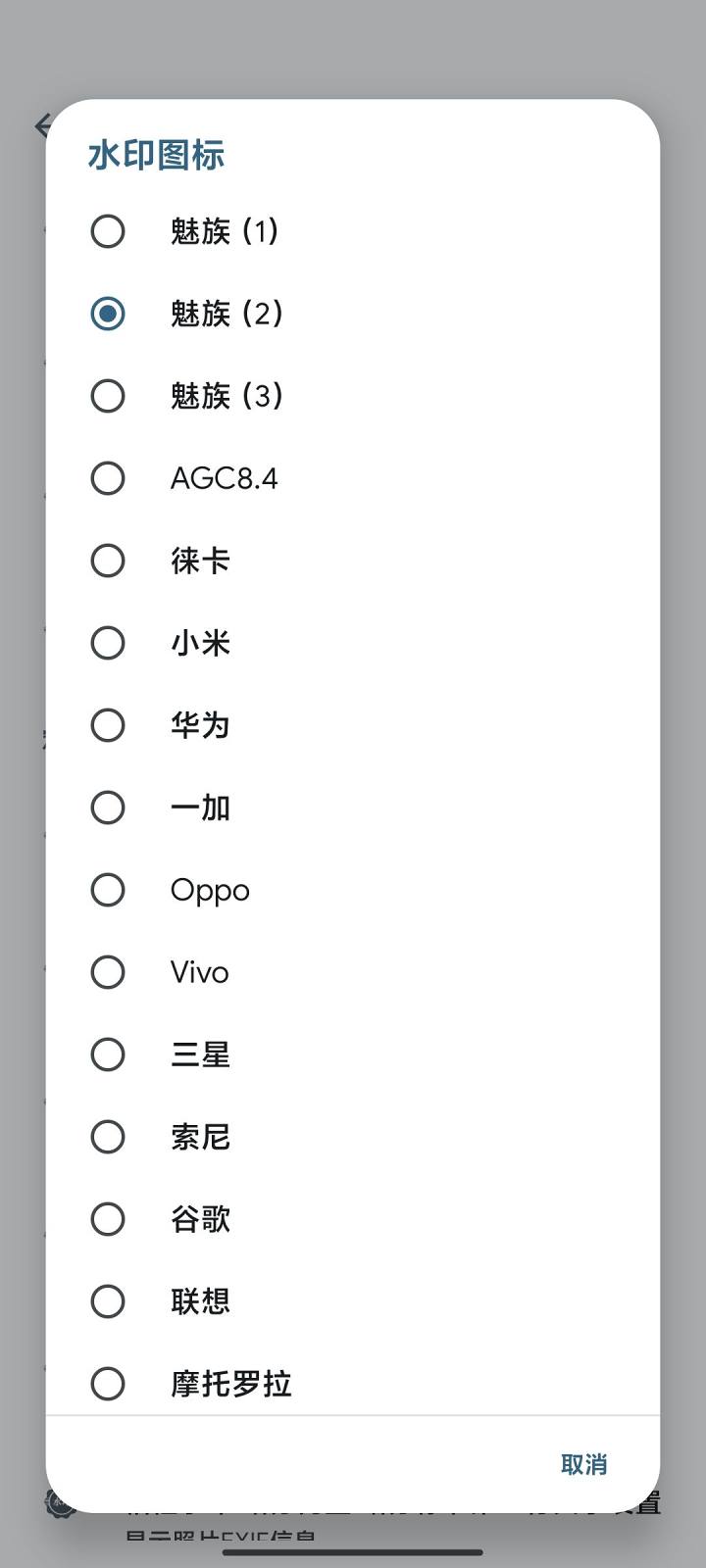
Watermark Settings~ Choose custom watermark types, various watermark frames, freely switch between (created from). Anita Zhiqing )
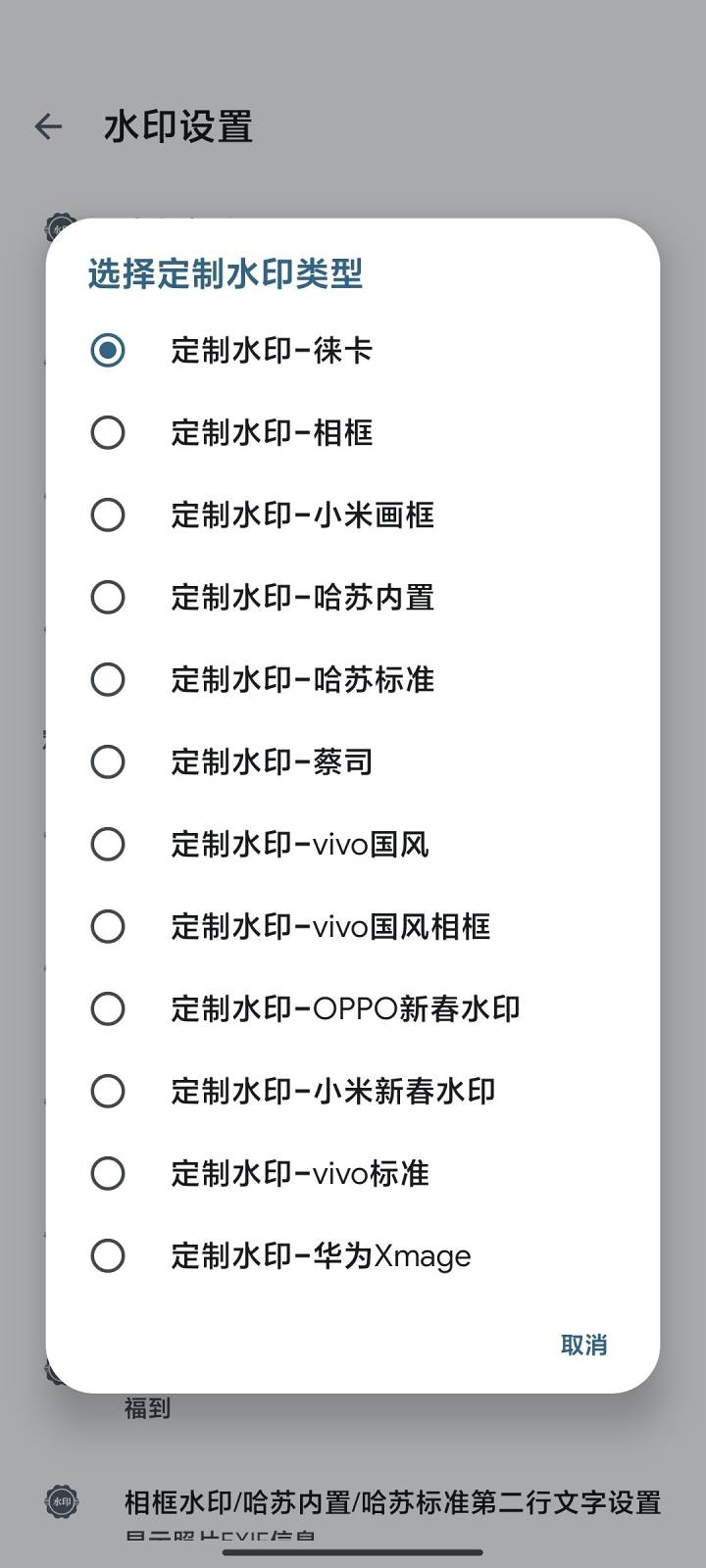
No sample photos, just a couple of watermark effects casually.
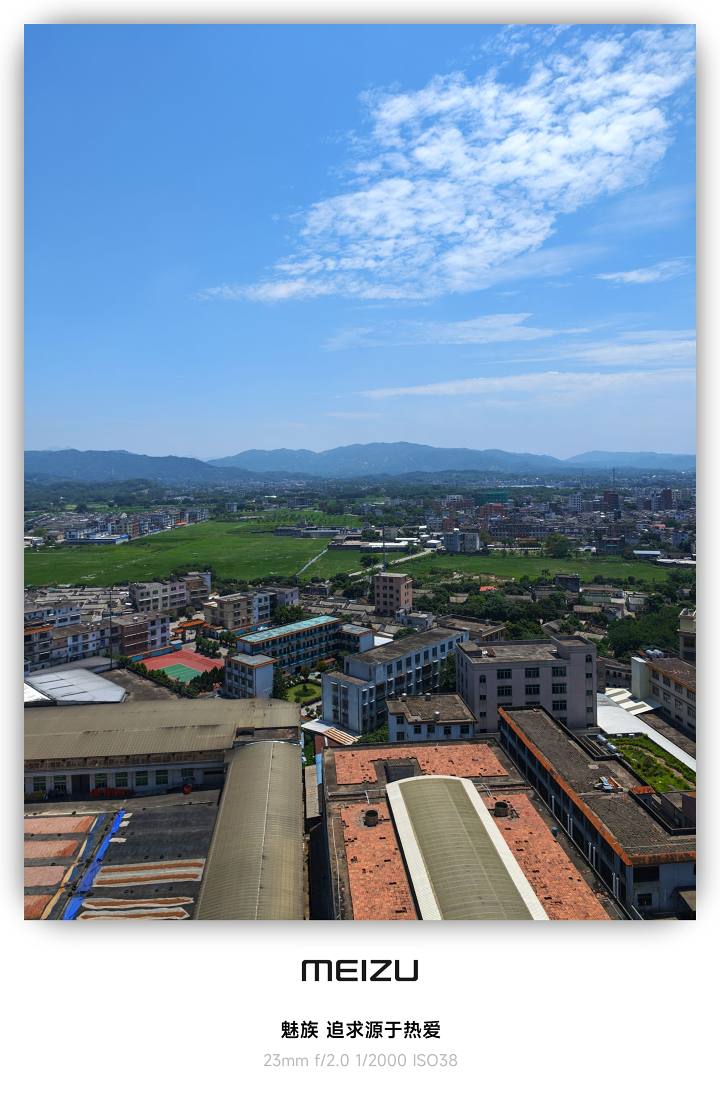
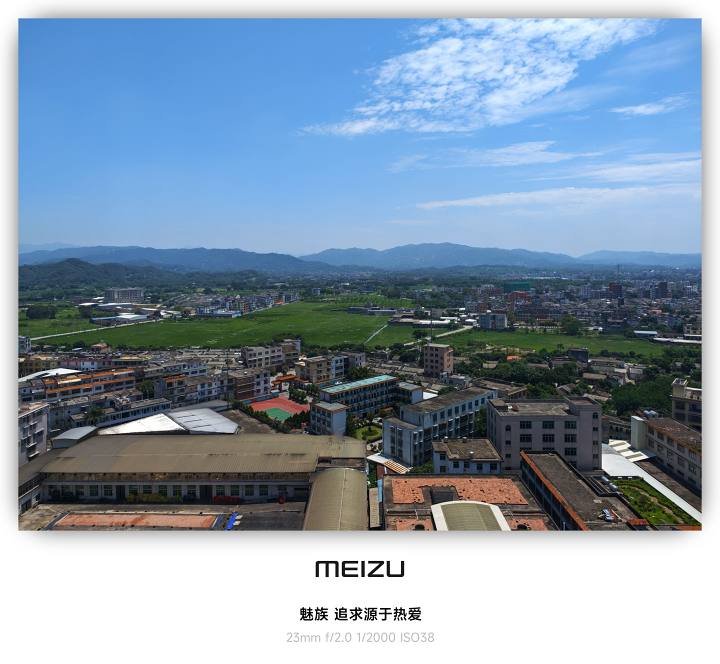
Making them is not easy, please pay coins yourself.
Download link (123 cloud drives)
![[Open Source Reading] January 2024 ≈ 400 carefully edited book source compilation and update - Baiyun Blog](https://www.bybk.cc/wp-content/uploads/img/af867764c3780f0b7da88376fca7bf92.png)
![[Open Source Reading] November 950+ carefully proofread book source compilation and update - Baiyun Blog](https://www.bybk.cc/wp-content/uploads/2023/02/Screenshot_20230222-1001582.png)
![[Open Source Reading] October 1300 Book Source Update - Baiyun Blog](https://www.bybk.cc/wp-content/uploads/img/1eeb6ae31cde88ab39faa2f19651638d.jpeg)
![[VMOS PRO 2.9.6 Member Edition] - Baiyun Blog](https://www.bybk.cc/wp-content/uploads/img/c303a7a50d3ebfa235cc380190db2980.png)
![[Open Source Reading] November 950+ carefully proofread book source compilation and update - Baiyun Blog](https://www.bybk.cc/wp-content/uploads/2023/02/Screenshot_20230222-1001582-1024x593.png)




No comments yet