
I've been watching the three major streaming platforms in China—iTengyou, You—for several years, but overall the experience hasn't been great. For example, there are too many ads and high fees. Although I still subscribe to some good shows and movies, I still want to try to meet more needs (American series, Japanese series, etc.).
So during this period, I bought quite a few devices, including mini PCs, NAS, VPS, etc. Besides meeting other usage needs, the main goal is, of course, to find the best way to watch movies.
So during this period, I've tried many options, including free, paid, hardware, software, and more. I've pretty much figured out most of the mainstream ways to watch movies nowadays. Since many people still don't fully understand this, I'll share it here to see which method suits you best.
This article mainly discusses the idea of thinking, so I won't go into the specific tutorials. You can search online for the details, and you'll find them all.
◆ The most mainstream method for free:Cloud disk
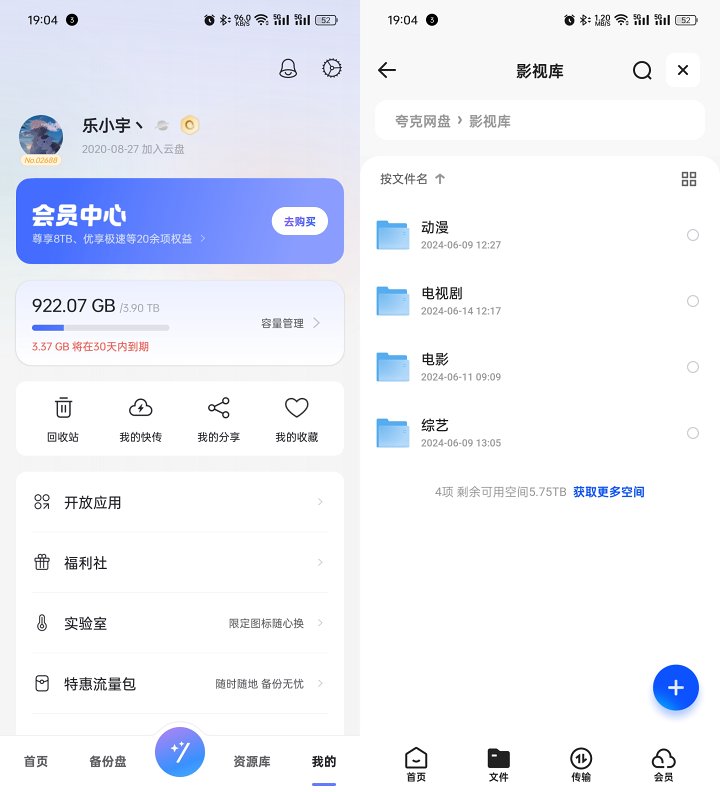
Cloud drives are probably familiar to everyone. As the most mainstream way to watch movies, most people use cloud drives, and the most common type of cloud drive is nowadaysAlibaba Cloud DriveAndQuark Cloud DiskThe advantages are easy access to resources and an official app; the downsides are that the free space is too small, no membership to limit speed, and you can't view original artwork.
Many gameplay features have also emerged based on the original game, allowing some restrictions to be removed.
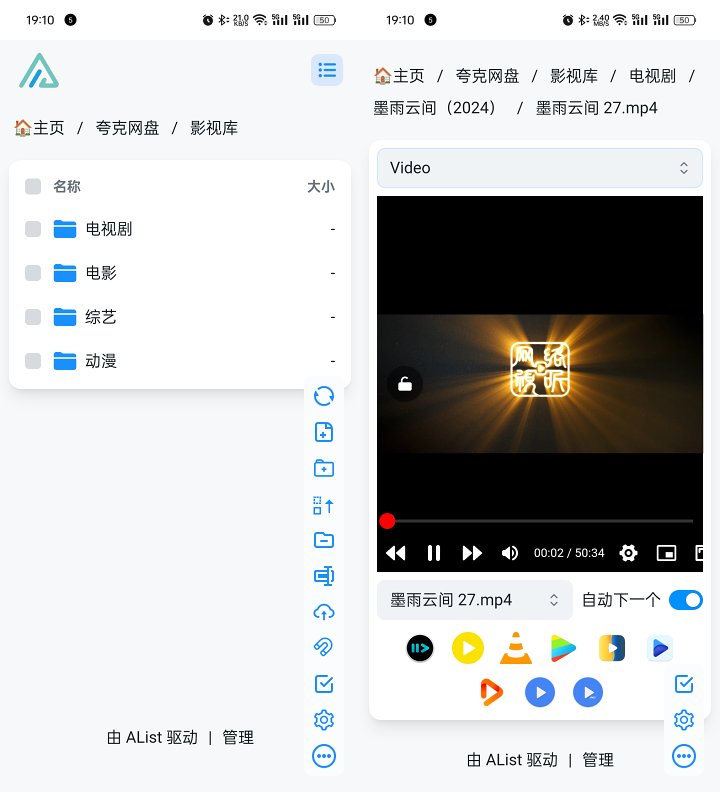
The first is similaralist、clouddriveWith this mounting application, ALIST can directly mount cloud drives to web pages and webdav, enabling non-members to watch original image quality. CDs can be mounted locally to open and play directly without membership restrictions (reportedly Alibaba has started speed limits).
Both Alist and CD have desktop versions, but no mobile version, so mobile users can only rely on servers for deployment. There is a certain threshold and service is required. Once deployed, you can directly mount and watch on your phone.
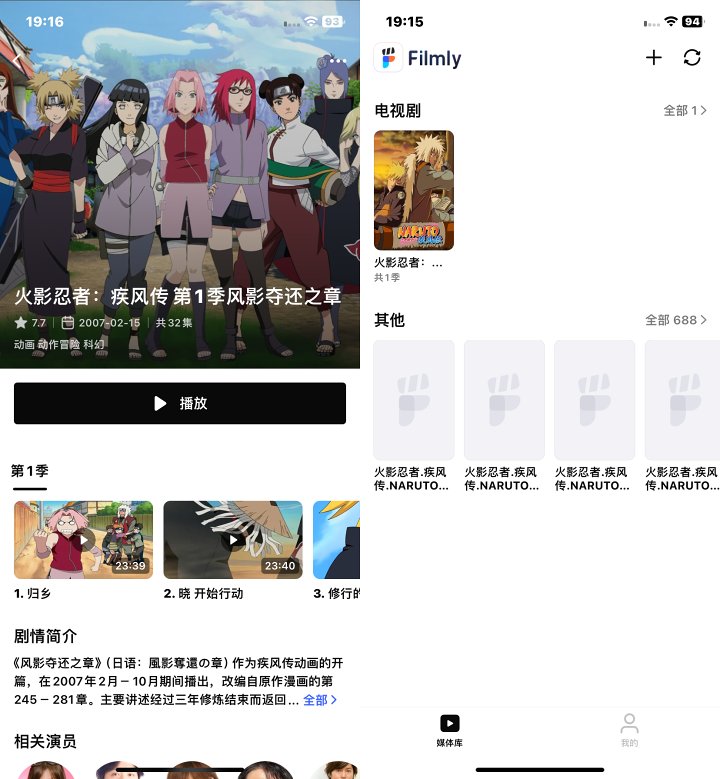
Besides these apps, Alibaba Cloud Drive has many third-party apps that can directly load resources from your cloud drive and scratch out the cover and description. The mainstream ones include NetEase's Filmly, Xiaobai Cloud Drive, and AfuseaKt.
The advantage is that it has a relatively attractive interface and experience, and it can unlock some membership restrictions. The downside is that some scraping may not be as good, and it only supports Aliyun Drive.
The advantage of cloud drives is their high ease of use, requiring little extra equipment, easy to find resources, and you can control your update pace. The downside is that you have to manually find resources, popular resources are easy to harmonize, and they require space.
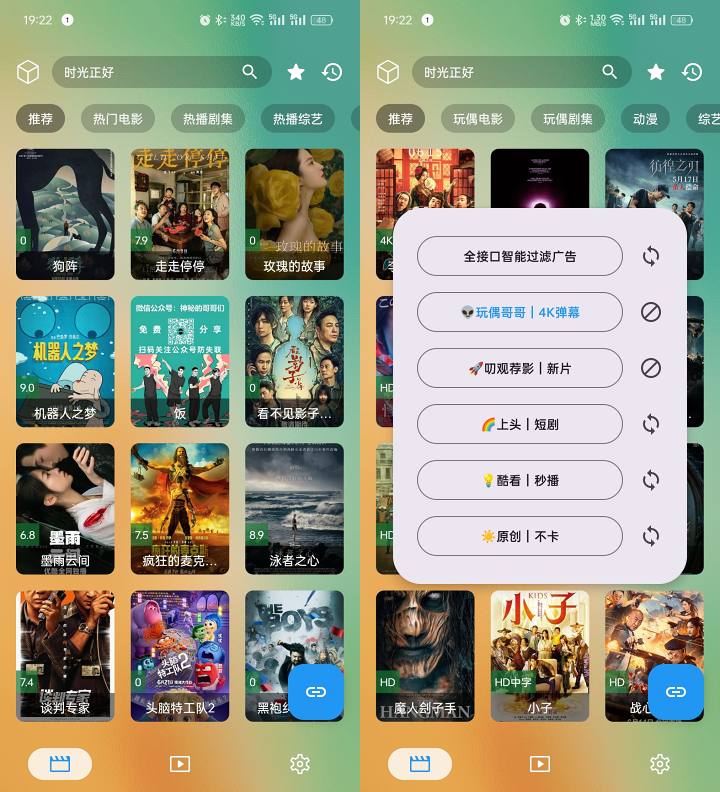
TVBOX is a bit less known; it's an excellent third-party aggregation player. It's just a shell, and you can add your own online sources to access a wealth of online video resources.
The advantage is that you don't need to find resources yourself; popular resources are available. The downsides are that some resources may expire, update pace depends on others, and the UI is relatively simple. After using it myself for a while, I felt it was enough for most people.
◆ The hottest among self-built modelsXiaoya
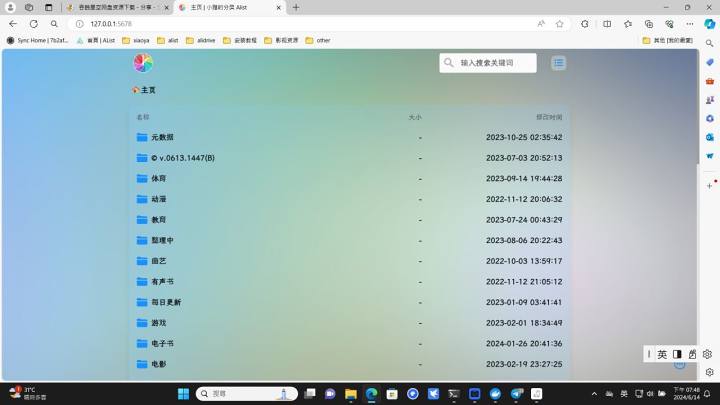
Search for 'Build your own' on BilibiliAudio-Visual LibraryThe most popular among them is Xiaoya. So, what is Xiaoya? Xiaoya is actually a big shot who brings the mainstream products on the marketcloud storage resourcesAll of these were aggregated together, categorized, scraped, and organized, forming a massive audio-visual library.
Xiaoya has Alist, TVBOX, Cat Film,embyThere are various forms. Alist is the web version shown in the picture, mounted via alist.
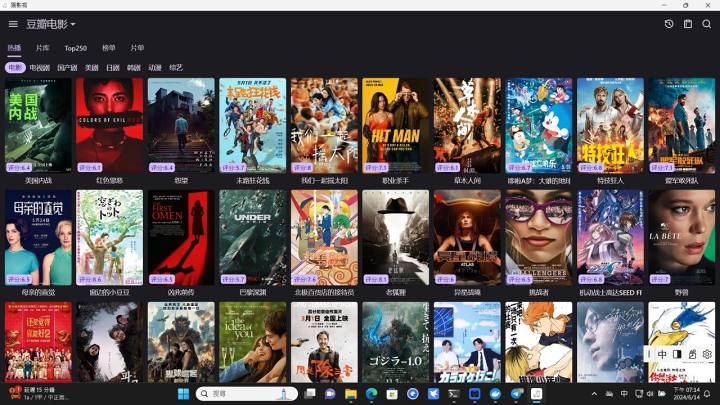
TVBOX and Maoying TV are both shell film and TV software. Xiaoya also supports both, and as long as you configure the source, you can use it. Compared to Alist, which has a poster wall, it's much more attractive.
The biggest drawback of Xiaoya Alist, TVBOX, and Maoying TV is that playback records can't be synchronized, which is why Xiaoya Emby was created.
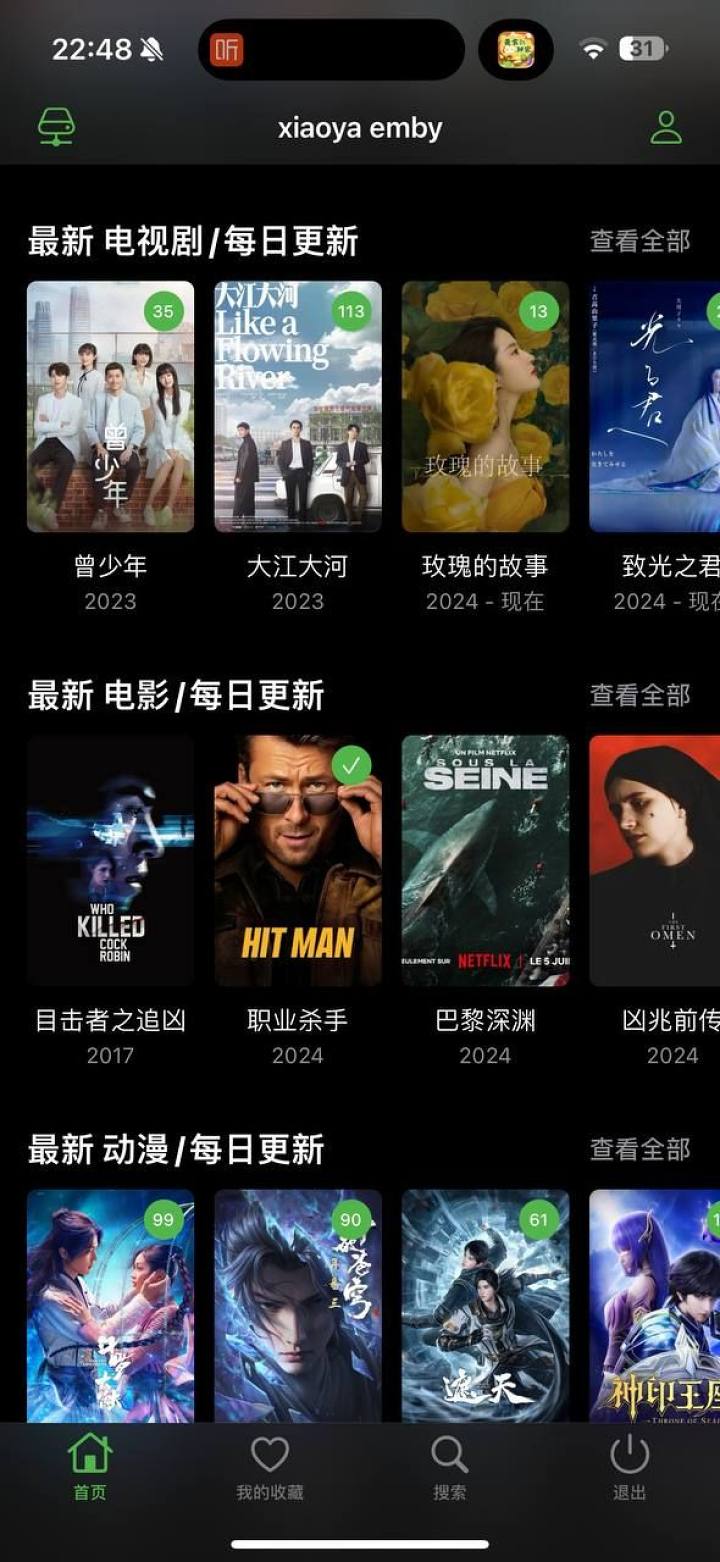
Xiaoya Emby not only has a beautiful poster wall and a more attractive UI, but more importantly, it has an account system that allows you to create different accounts and share them with others. Each account has its own playback history and supports multi-platform synchronization, covering Android, iOS, Android TV, and Apple TV.
Xiaoya's advantages are its extensive video library and multiple deployment options. Its disadvantages are that it requires an extra server and has certain configuration requirements. Additionally, because it relies on various cloud drives, it can also have speed limits and resource harmony issues.
If you only need to deploy Xiaoya Alist, TVBOX, or Maoying TV, basically any server is enough, with few hardware requirements. If you are deploying the Xiaoya Emby full suite of devices, you need at least 8+140GB of configuration, and the CPU should be above average because Xiaoya Emby will download all metadata to the hard drive.
◆ Emby Public Service & Paid Services
Earlier, we mentioned Xiaoya Emby, so what exactly is Emby? Emby is a very powerful media server, including both front-end and back-end. The backend can connect to your own local video library or cloud storage library, allowing you to view and play on the front-end. It supports multiple platforms and many third-party applications.
Therefore, many experts build their own media libraries and use Emby to share or sell charity services. For paid ones, you can look on Xianyu; for charity ones, you need to put in some effort yourself.
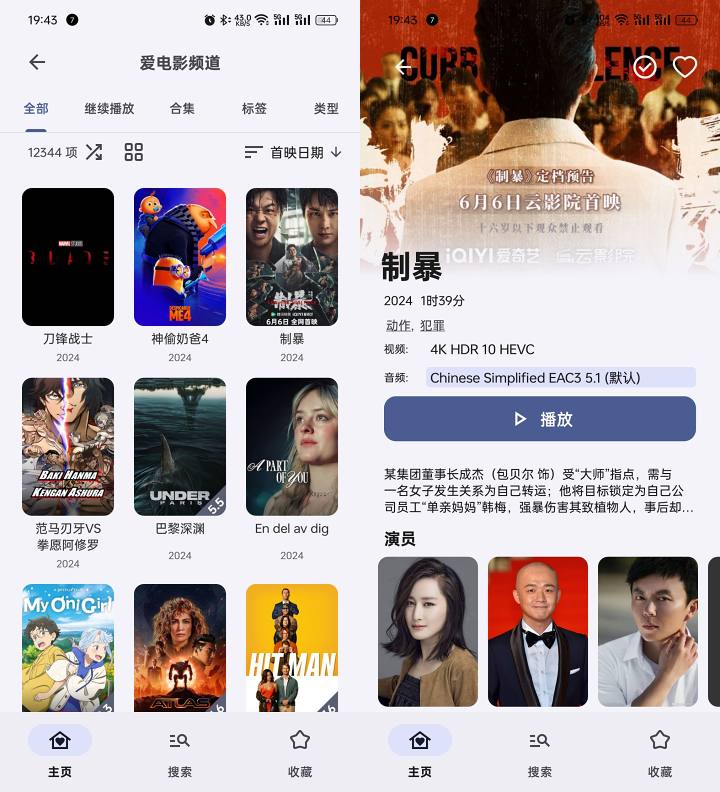
The UI experience of Emby's public service and paid servers is similar to Xiaoya Emby's, both featuring beautiful posters and account systems. Resources depend on the server you join—some have more, some less. So usually one server can't meet the demand, so I added several public and paid servers.
Emby: Because many servers are deployed overseas, there are issues where access within China is inaccessible or slow. Therefore, the overall playback experience depends on the server you join, and the levels are somewhat uneven (paid servers usually have triple-network optimization).
Some of the more useful third-party Emby apps include:
Android: Yamby, Emby (Xiao Mi), AfuseKt
iOS:Infuse、VidHub、FileBall、
Android TV: Emby (Little Secretary)
Apple TV:Infuse、VidHub
◆ Moving towards building a self-built video library
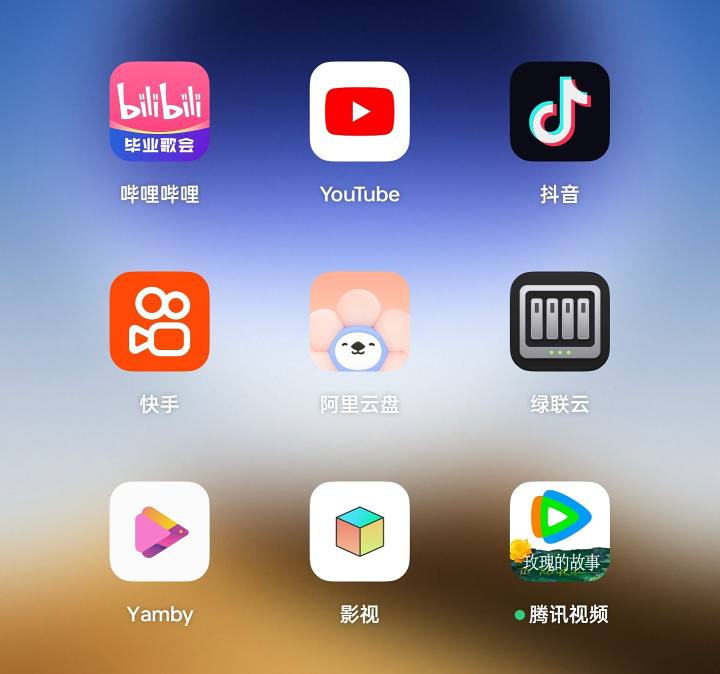
I've tried all the methods above, but before I found a better one, I always thought cloud drives were enough. I didn't like cloud drives with Xiaoya TVBOX, I didn't like TV boxes with Xiaoya Emby, and I didn't like Xiaoya with Emby charity services.
In the end, I realized that none of the above methods satisfied me. What I wanted wasn't a huge video library, but rather the resources I wanted to watch. I could watch the movies I wanted anytime, without worrying about disharmony, controlling the update pace myself, without having to search for the resources I wanted in the huge library and having the equipment on hand. So I set out on the path of building my own videos.
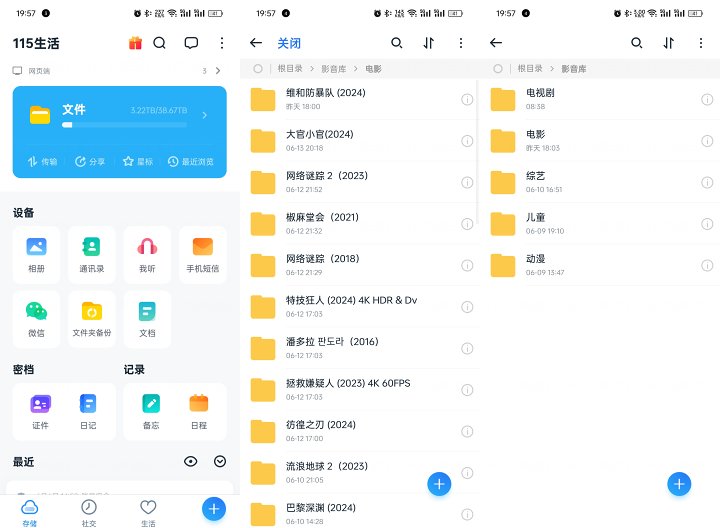
MineSelf-built solutionsIt's a local hard drive + cloud drive. Because hard drives are expensive, some resources are prioritized for cloud storage, and those that don't are first transferred locally and then transferred to the cloud drive. So the first step is to buy 38TB storage on 115 and activate a membership. Then, through CloudDrive, you mount 115 cloud drives, Alibaba cloud drives, and Quark cloud drives onto the NAS. Use the cloud drive where resources are easy to find, and finally consolidate them all into the 115 cloud drive.
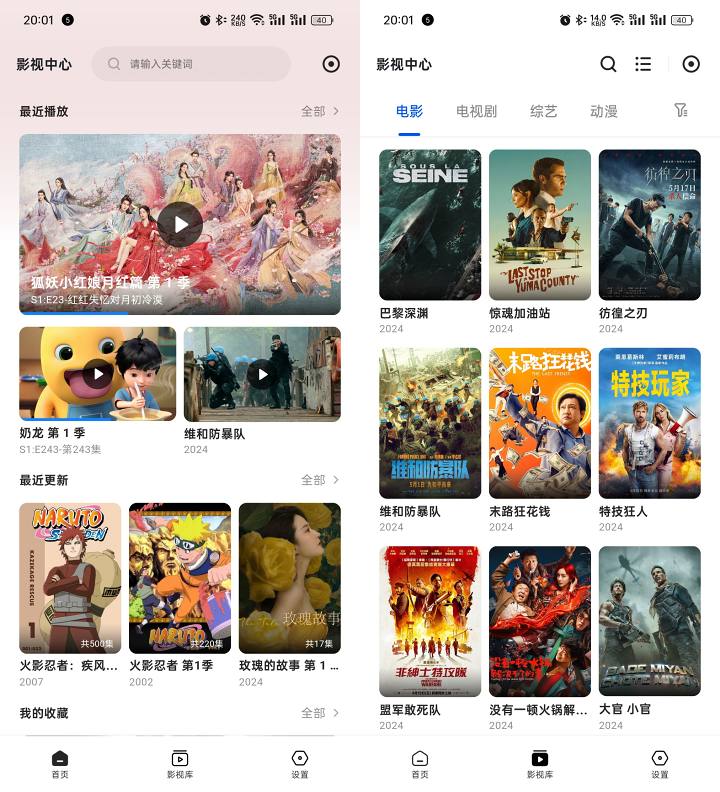
At first, I planned to deploy via Emby, but later found that the UI of the new UGREEN film center really appealed to me. Although there are bugs at the moment, I don't need the original disc or Dolby Vision, so it just meets my needs, so I haven't deployed Emby for now. (Will add more if needed later)
One thing about self-building is that you have to find resources yourself. Fortunately, after years of online experience, I've long gotten the hang of finding resources, and my viewing speed definitely can't match how quickly I find resources, so during my downtime when I'm not watching TV, I start looking for resources to add to the database. (Currently, the main resources come from cloud drives,BTAndPT)
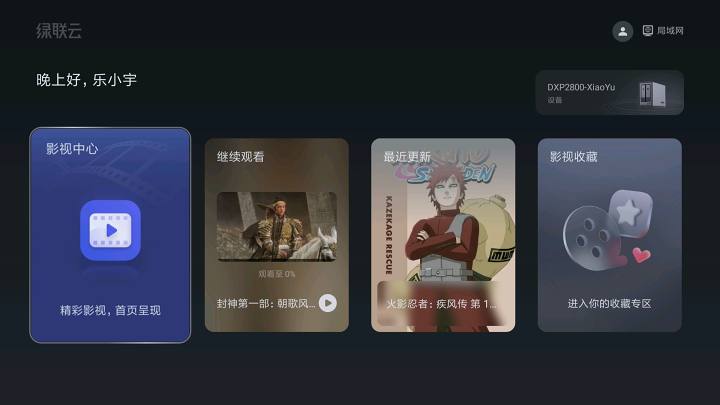
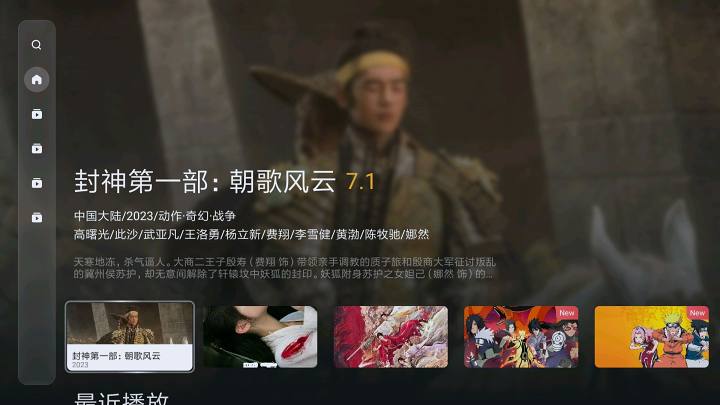
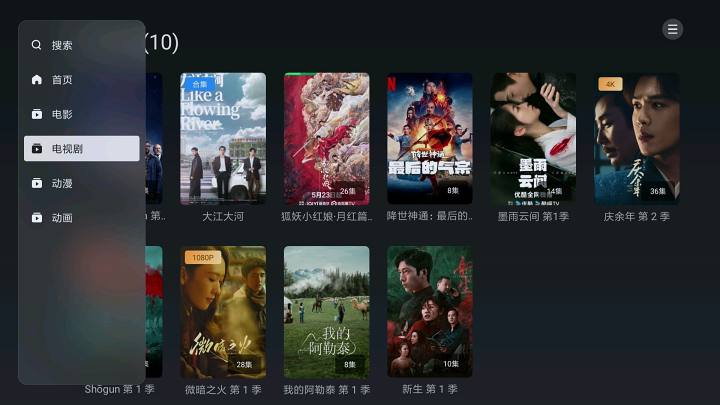

The TV also uses the UGREENCLOUD application, and this UI design really resonated with me. Finally, I worked it out using a public IP addressDomain name resolutionAndReverse proxy, you can watch content from your self-built video library without speed limits in any network environment.
With all the options mentioned above, just choose according to your own needs. There's no need to start with your own setup. Cloud drives and TV boxes are enough to meet most people's needs. If you want to know more about the movie library or need help, feel free to leave a comment or send a private message.
![[Open Source Reading] January 2024 ≈ 400 carefully edited book source compilation and update - Baiyun Blog](https://www.bybk.cc/wp-content/uploads/img/af867764c3780f0b7da88376fca7bf92.png)
![[Open Source Reading] November 950+ carefully proofread book source compilation and update - Baiyun Blog](https://www.bybk.cc/wp-content/uploads/2023/02/Screenshot_20230222-1001582.png)
![[Open Source Reading] October 1300 Book Source Update - Baiyun Blog](https://www.bybk.cc/wp-content/uploads/img/1eeb6ae31cde88ab39faa2f19651638d.jpeg)
![[VMOS PRO 2.9.6 Member Edition] - Baiyun Blog](https://www.bybk.cc/wp-content/uploads/img/c303a7a50d3ebfa235cc380190db2980.png)
![[Open Source Reading] November 950+ carefully proofread book source compilation and update - Baiyun Blog](https://www.bybk.cc/wp-content/uploads/2023/02/Screenshot_20230222-1001582-1024x593.png)




No comments yet