
The tutorial is divided into two parts. First,Incremental packageUpdate System+RootTutorial, secondComplete packageUpdate + root protection tutorial.
Without further ado, let's get started
Incremental Package Update + Root Protection Tutorial:
1、Mask appClick UninstallMagisk→ point Restore the original factory image。
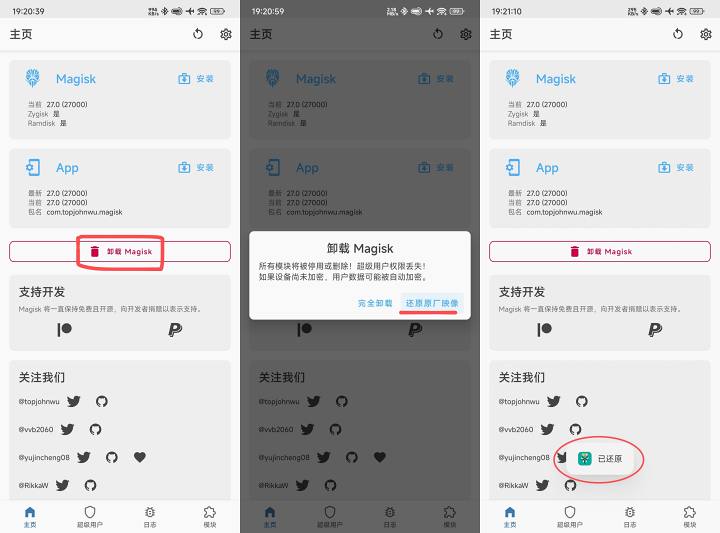
If "Restored" appears, it means the restoration was successful
2. At this point, download the incremental package and patiently wait for the update process. When [Restart immediately] button indicates the update has been completed.
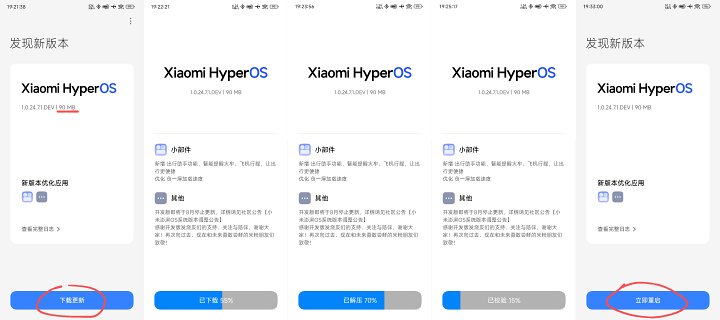
Be sure to wait until the 'Restart Now' button appears before switching slots
3. Open the Mask app, tap Install, and tap Install to an unused slot
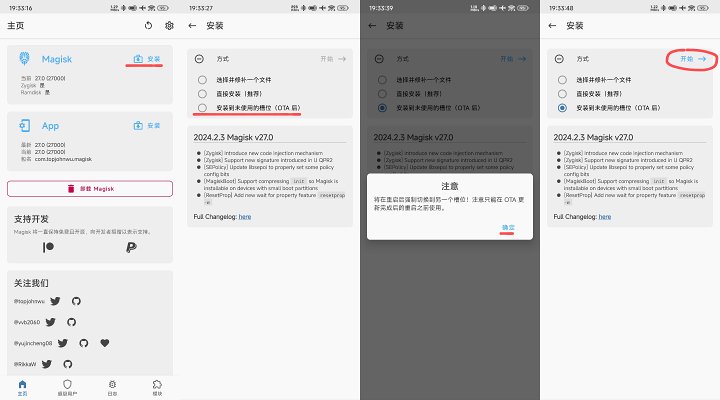
When the prompt appears, click OK and click Combine to start
Patiently wait for the mask slot replacement process for about 1 minute. Once the slot is done, you can click the restart button at the bottom right to restart and power on.System updateDone, the mask is automatically spawned (saved).
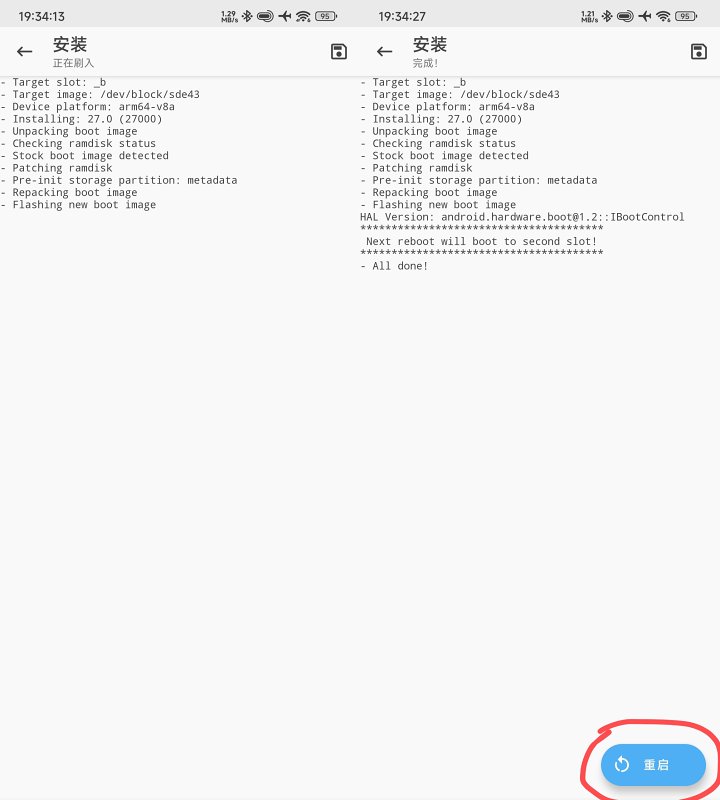
Complete package update system + root protection tutorial:
1. Directly tap the top right corner of the System Update app, then click Download the latest complete package
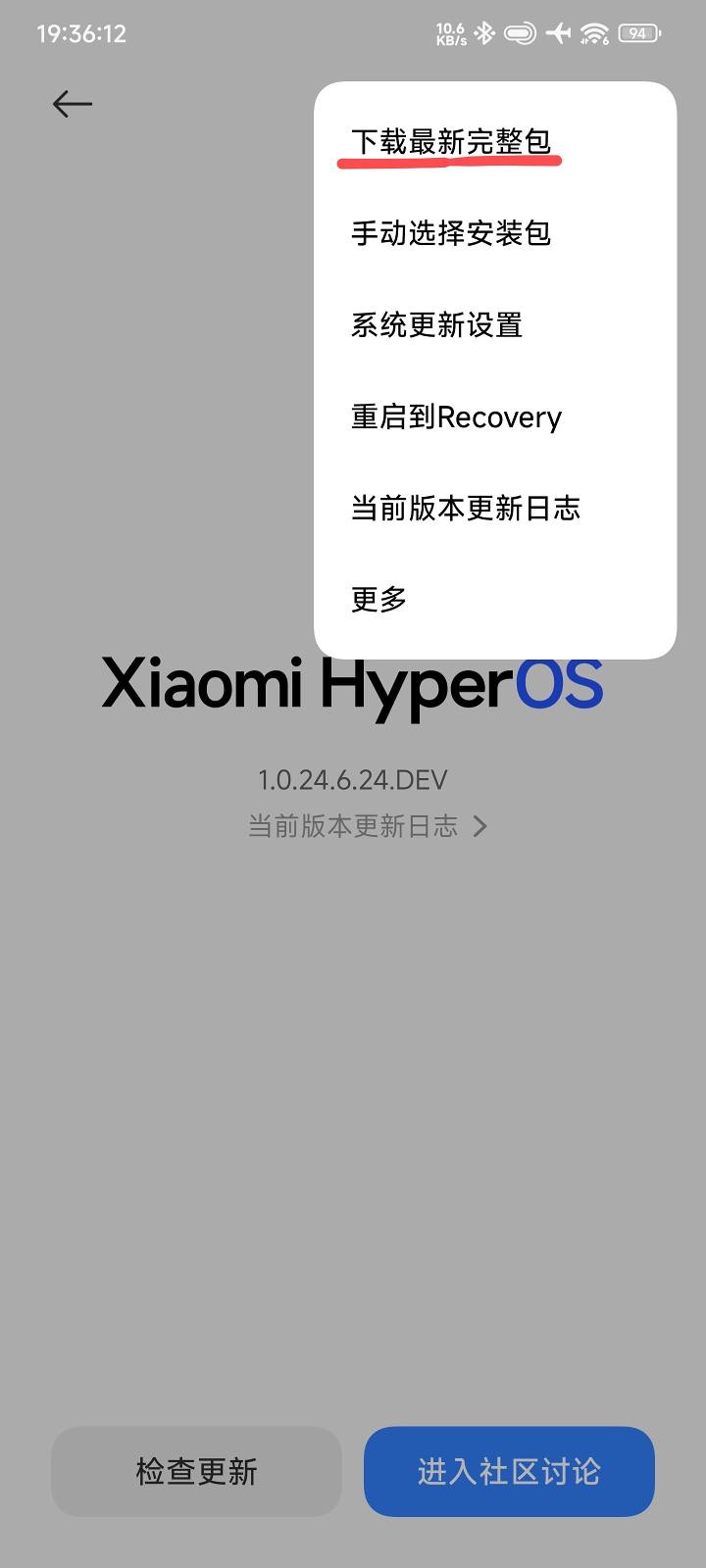
Similarly, patiently wait for updates. If [Restart Now] appears, it means the update is complete.
2. In the Mask app, tap Install, tap Install to an unused slot, then restart your phone after finishing.
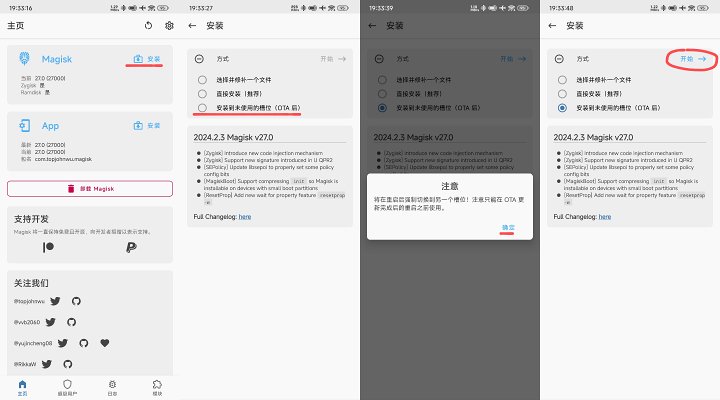
The process is consistent with incremental root protection
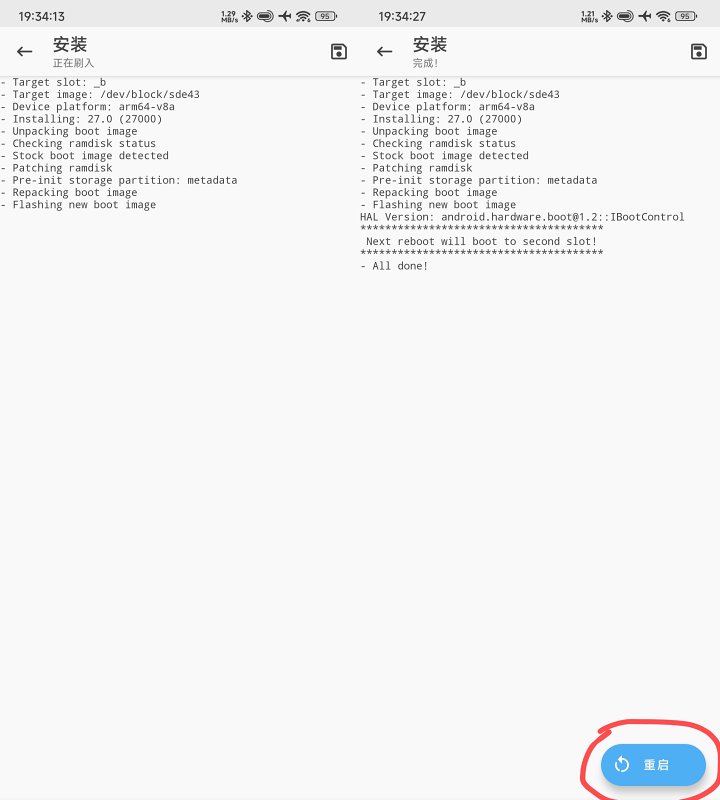
You can click Restart in the bottom right corner, or manually restart it
Both incremental package updates and full package system updates guarantee root updates, provided you haven't flashed third-party RECs. The difference is only the first step: whether to remove the mask.
If you refreshed the mask, downloading the incremental update directly will fail, so you need to uninstall the mask
But after removing the mask, you don't need to restart your phone; if you do, the mask is truly lost
Both the developer and stable (official versions) can be rooted and updated this way, theoreticallyXiaomiRedmiApplicable to all models.#小米14 ##HyperOS##红米k60至尊版 #
![[Open Source Reading] January 2024 ≈ 400 carefully edited book source compilation and update - Baiyun Blog](https://www.bybk.cc/wp-content/uploads/img/af867764c3780f0b7da88376fca7bf92.png)
![[Open Source Reading] November 950+ carefully proofread book source compilation and update - Baiyun Blog](https://www.bybk.cc/wp-content/uploads/2023/02/Screenshot_20230222-1001582.png)
![[Open Source Reading] October 1300 Book Source Update - Baiyun Blog](https://www.bybk.cc/wp-content/uploads/img/1eeb6ae31cde88ab39faa2f19651638d.jpeg)
![[VMOS PRO 2.9.6 Member Edition] - Baiyun Blog](https://www.bybk.cc/wp-content/uploads/img/c303a7a50d3ebfa235cc380190db2980.png)
![[Open Source Reading] November 950+ carefully proofread book source compilation and update - Baiyun Blog](https://www.bybk.cc/wp-content/uploads/2023/02/Screenshot_20230222-1001582-1024x593.png)




No comments yet